
iOS · 15 languages · GDPR compliant
Ten hours on site is enough.
Skip the two hours of paperwork.
Snap a photo, say what you see — DokuAI writes the structured, time-stamped report for you. Sign on screen, export as PDF, send via WhatsApp, email or cloud. Done before you start the engine.
7-day professional trial. Cancel anytime.
The problem every contractor knows
After ten hours on site, two more hours of paperwork.
-
Writing reports late at night
Typing daily reports at the kitchen table after a full day on site — instead of being with your family.
-
Tape measure in one hand, phone in the other
Measuring doors and walls by hand, then typing the numbers into the report. Twice the work, half the accuracy.
-
Site photos no one can match
300 photos on the phone, none of them tagged. Two weeks later nobody remembers which crack was where.
-
Illegible notes from the clipboard
Trying to decipher what you scribbled while standing in the rain. Half of it is unreadable.
-
Missing punch lists when a claim comes in
Client calls about a defect. You can’t find the documentation. The claim sticks.
How DokuAI solves it
Capture on site, leave with a finished report.
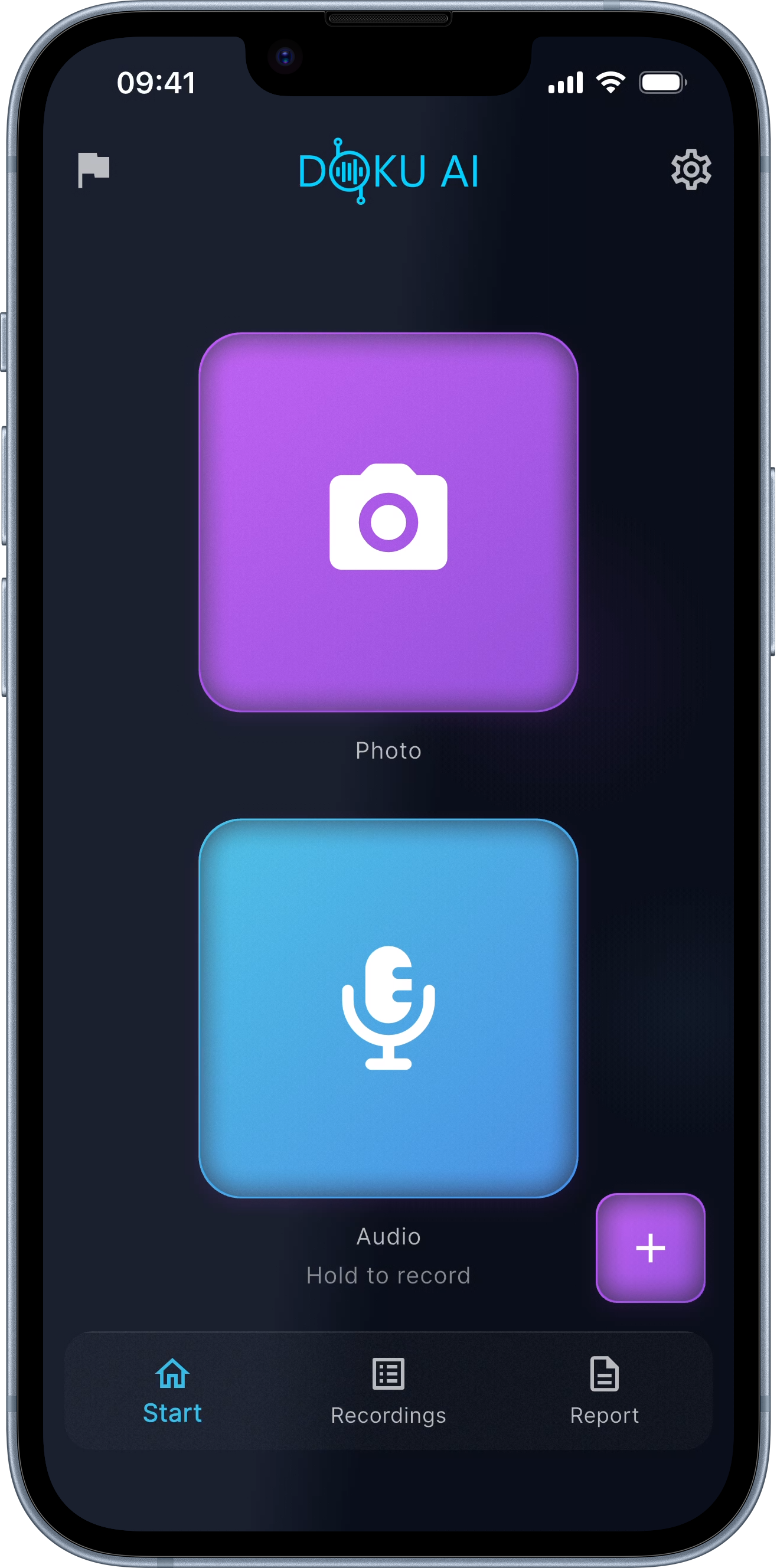
Take a photo, say what you see — even in loud environments thanks to noise cancellation. The AI transcribes, matches photos to sections, structures the field report and delivers a finished document. Edit, sign, export as PDF. Share via WhatsApp, email, or cloud.
- 1
Capture
Photos with timestamp + GPS. Voice notes recorded directly through the app — noise cancellation handles the site.
- 2
AI structures
Photos are matched to sections, voice is transcribed, defects are classified by severity with recommendations.
- 3
Sign and share
Fine-tune the text, sign on screen (any number of signatures), export as PDF — send via WhatsApp, email or cloud.
Features
The tool that gives you your evening back.
01 / 06
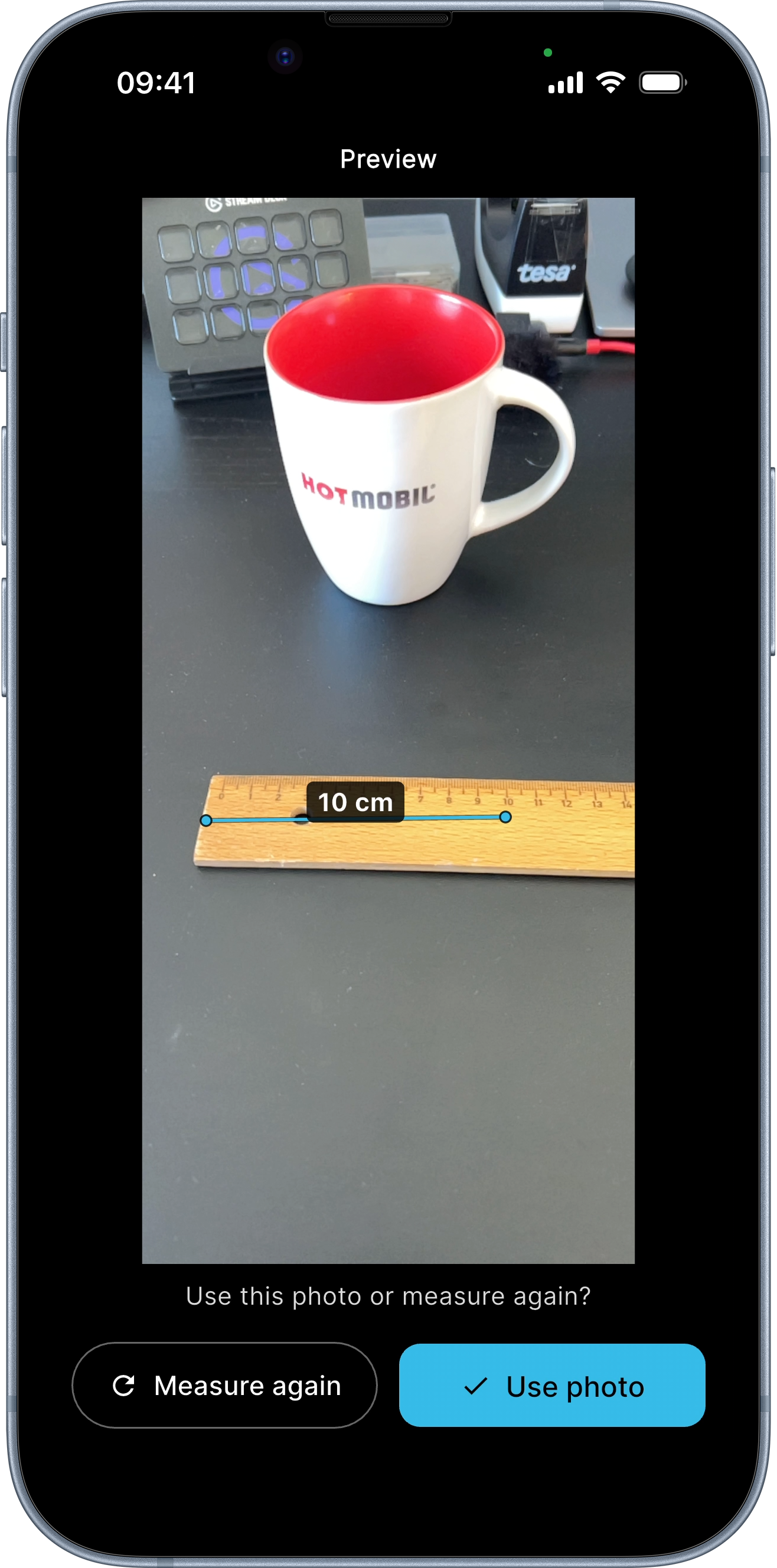
AR measurement in photos
Tap two points in a photo — the distance is drawn as a line on the image and ends up in the PDF. ±0.5 cm on Pro iPhones (12 Pro and newer) and iPad Pro from 2020, ±2–8 cm on standard iPhones. Leave the tape measure at home.
02 / 06
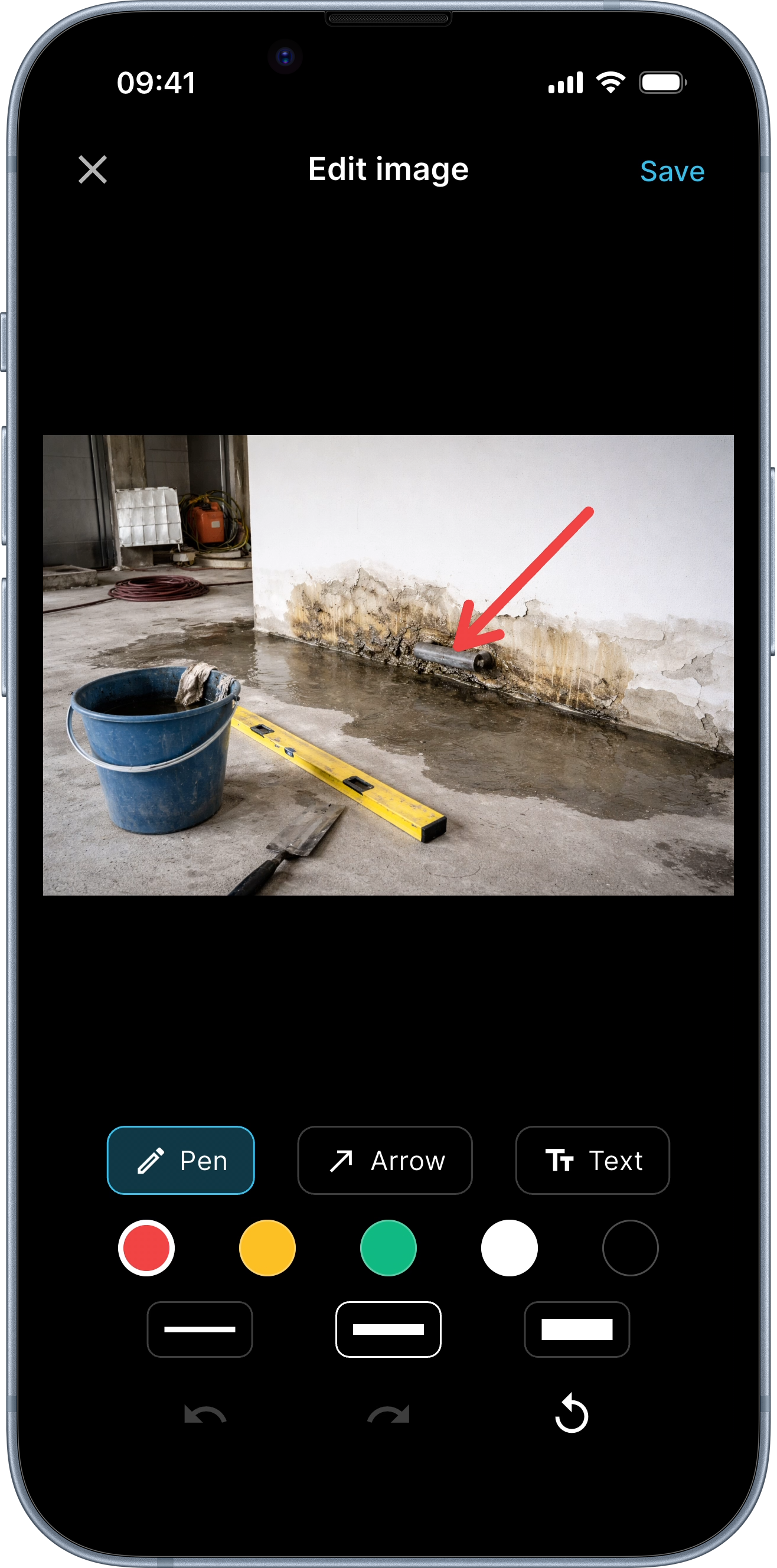
Photo annotations
Pen, arrow, circle, text — drawn directly on photos to mark defects, damage or details. The original photo stays untouched until export.
03 / 06
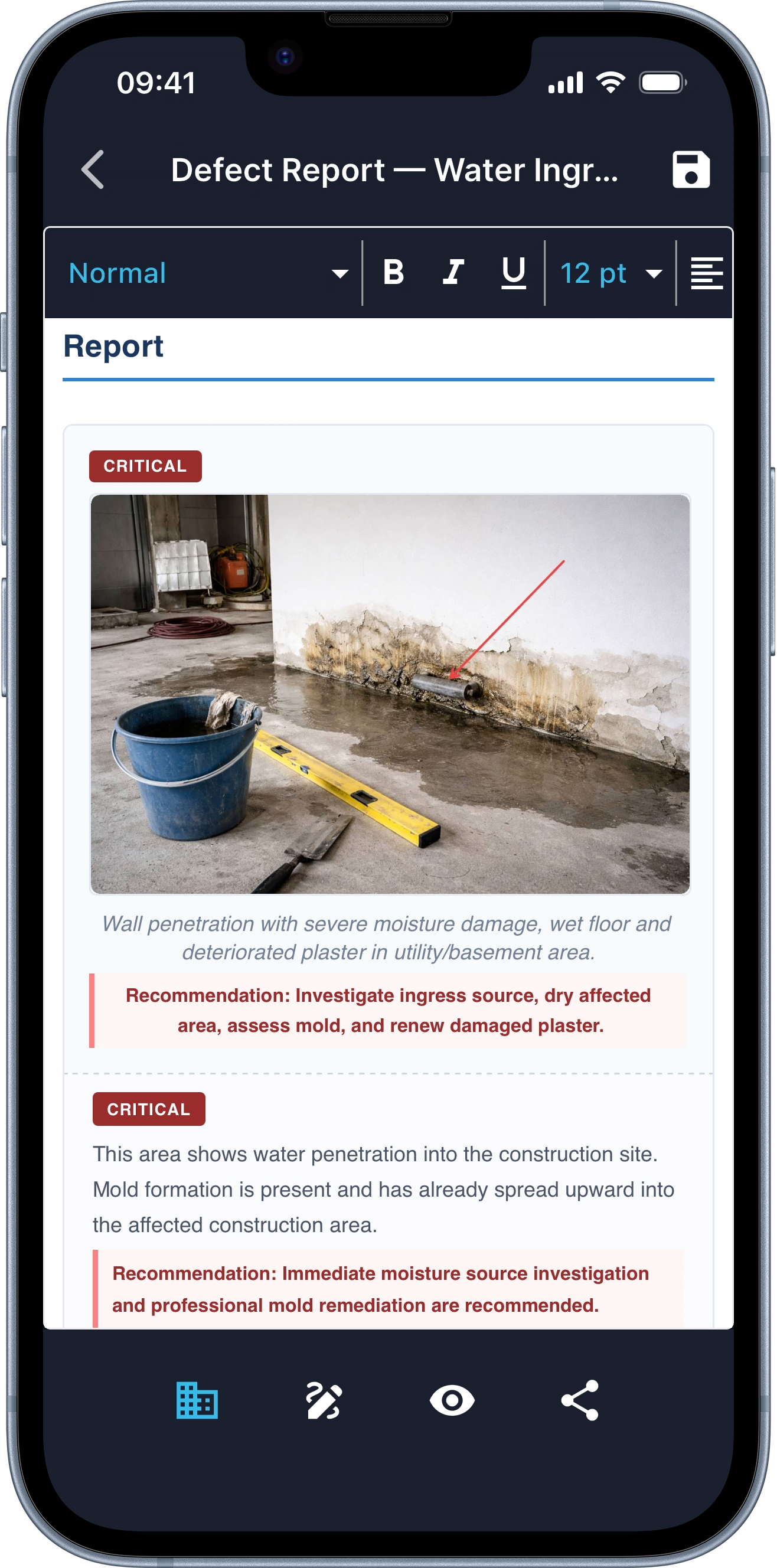
Auto-classify defects
The AI detects defects in your photos and classifies them by severity. With concrete recommendations you know what needs fixing first — for the defect report or the building inspection.
04 / 06
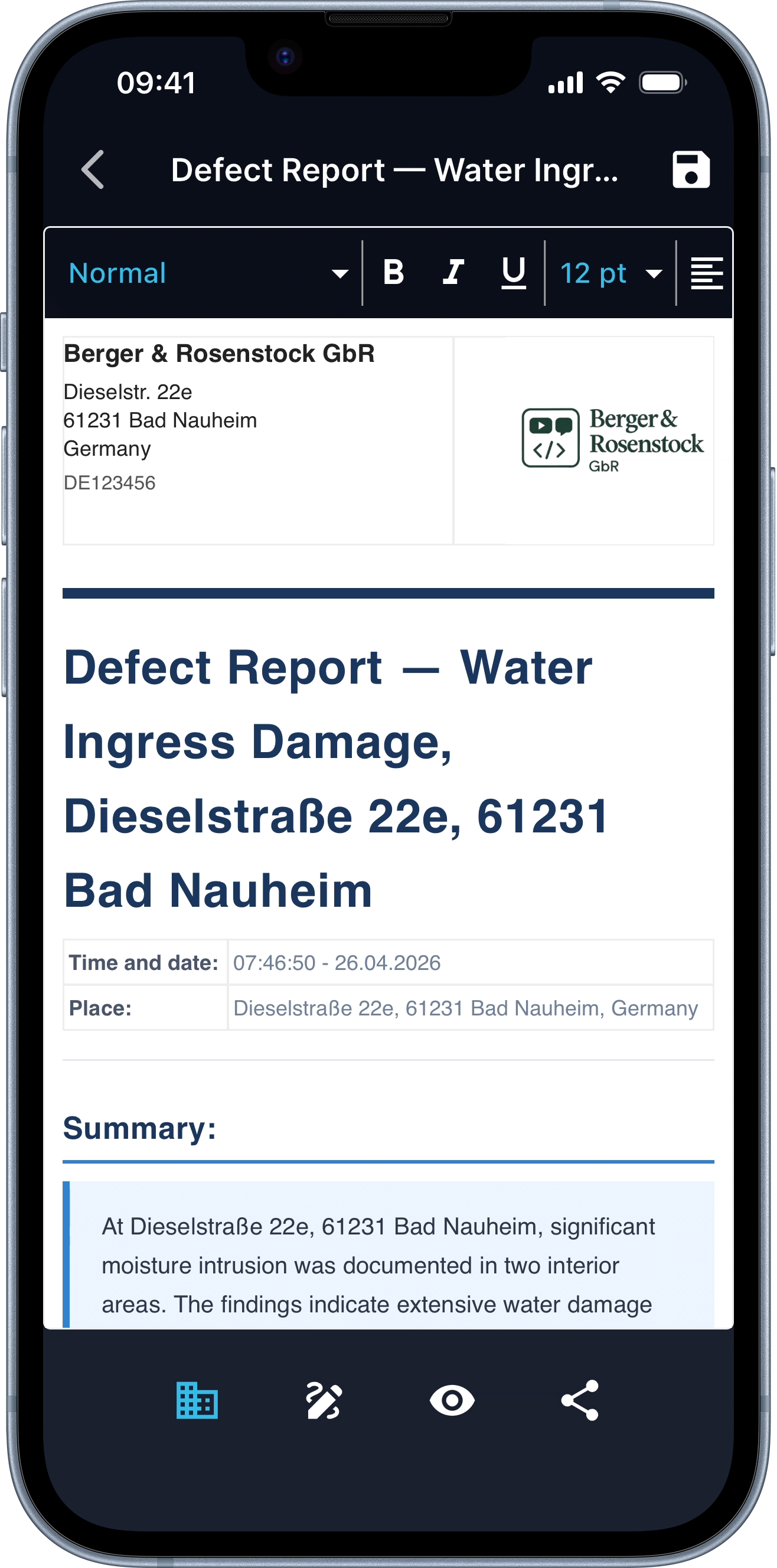
Letterhead with company logo
Enter company details once — your letterhead with logo appears automatically on every report. No setup, no template fiddling.
05 / 06
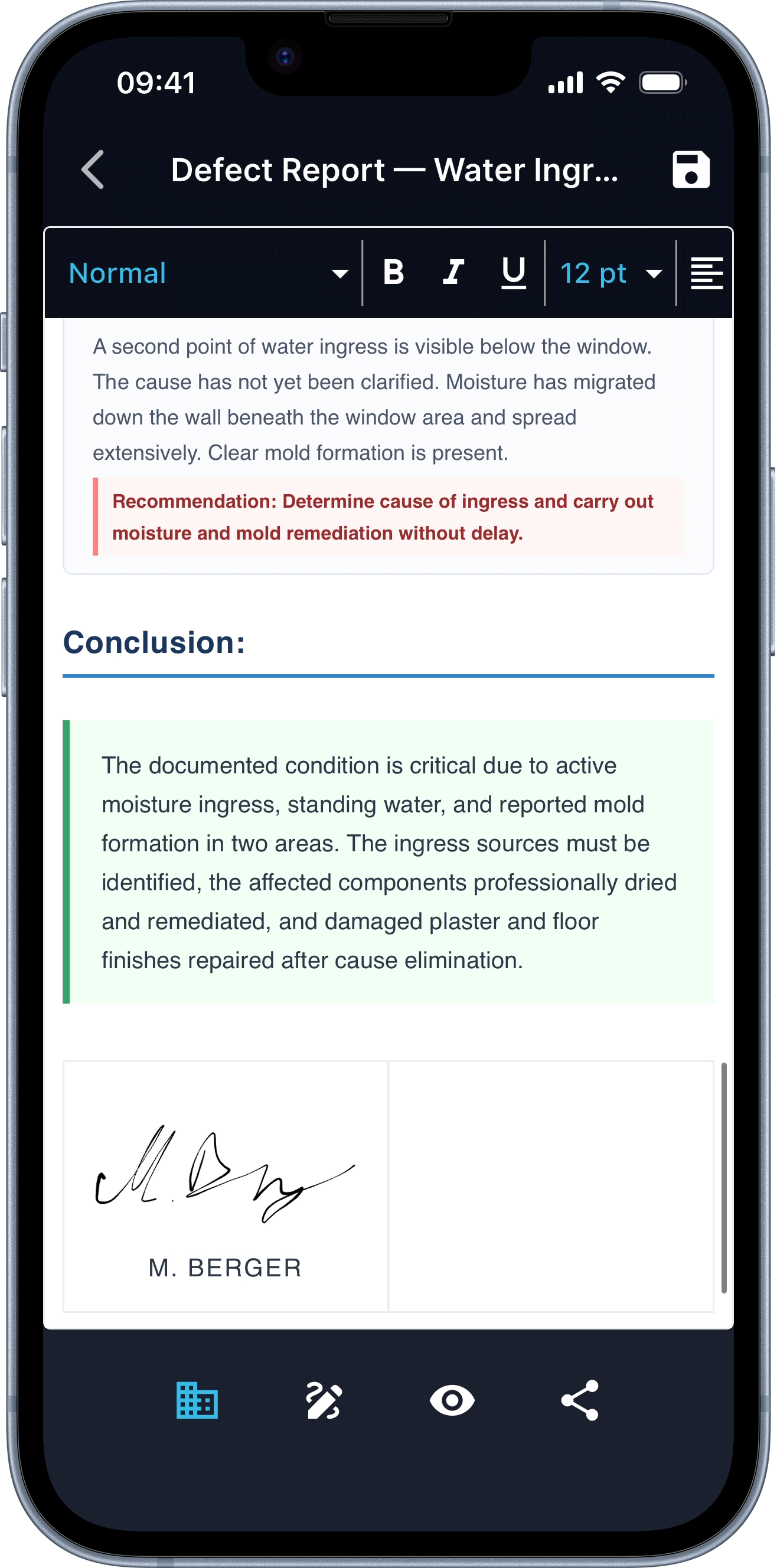
Sign on screen
Multiple signatures supported. Perfect for handover protocols where the client and contractor sign on site. No printer, no scanner.
06 / 06
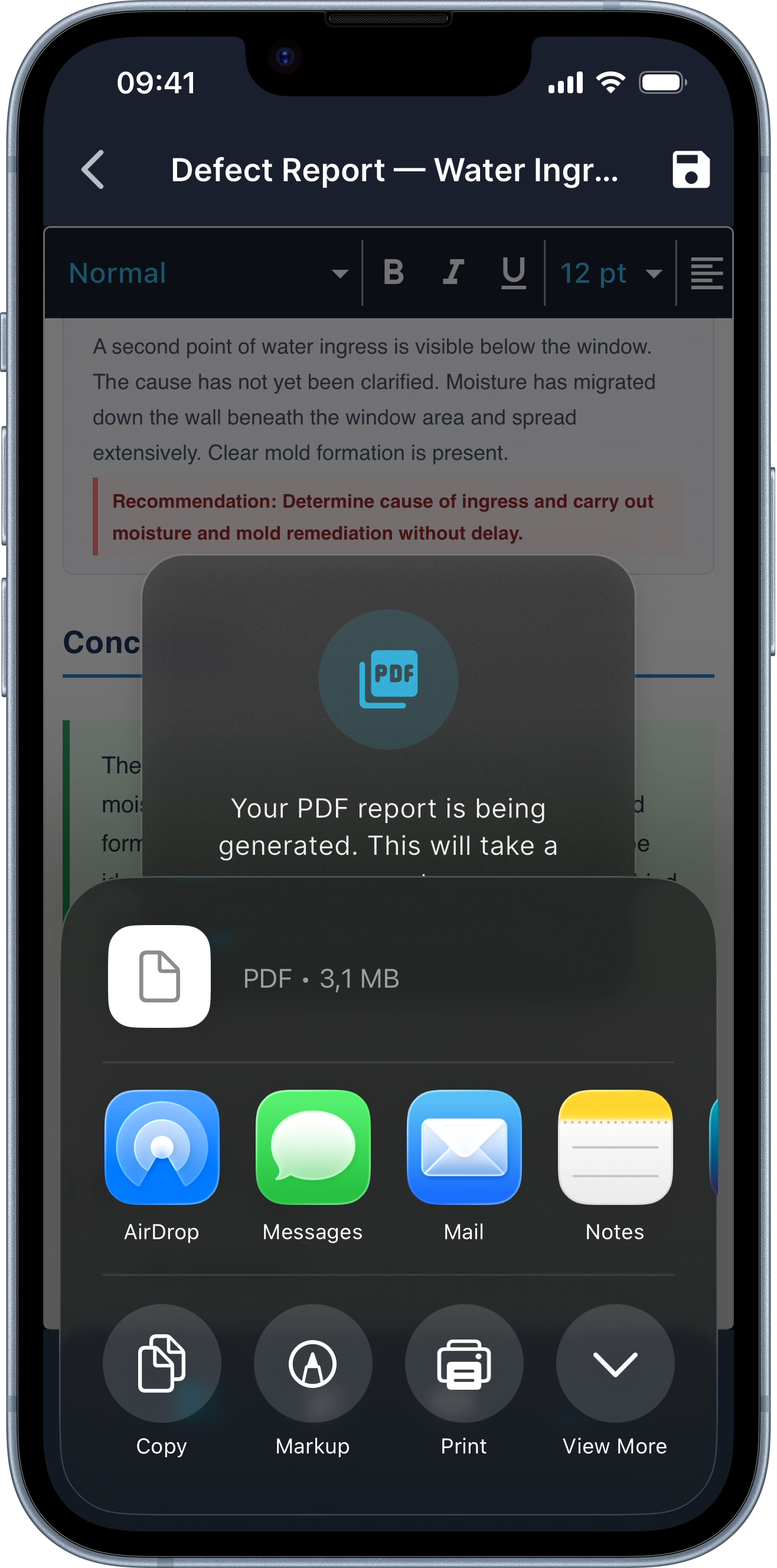
Share anywhere
PDF straight from the app. WhatsApp, email, or cloud — whatever your client uses.
Every report includes
Court-grade evidence, automatically.
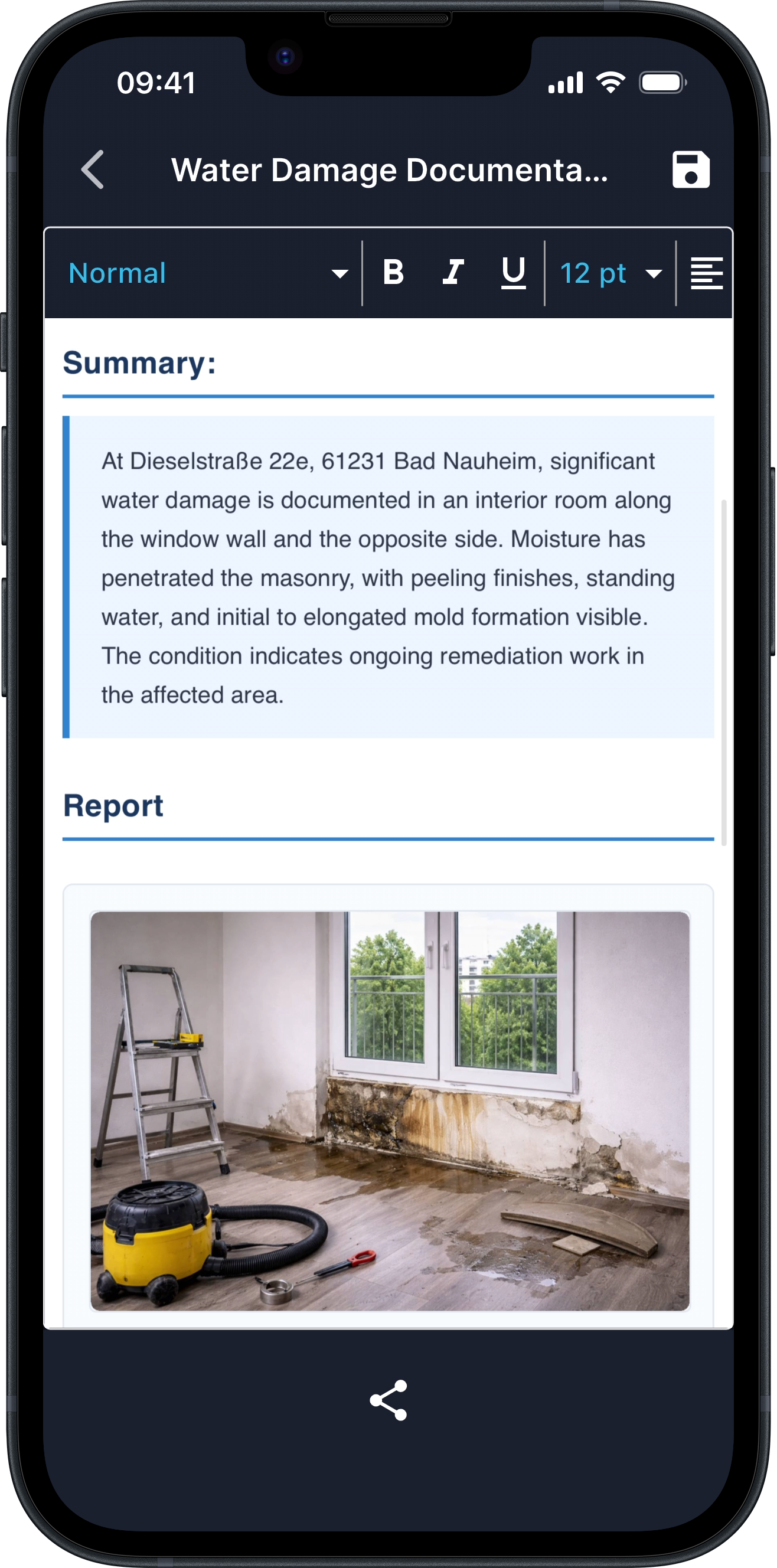
- 01 Structured sections with clear organisation
- 02 Summary at a glance
- 03 Timestamp and GPS location for every photo
- 04 Photos with matching descriptions
- 05 Defect classification with severity and recommended action
- 06 Digital signatures (any number)
- 07 Your letterhead with company logo
- 08 Annotations directly on photos
- 09 AR measurements baked into the JPEGs
- 10 Final PDF — ready to share
Built for
Tradies, site managers, and inspectors.
- 01 Electricians documenting installations
- 02 Painters recording damage before starting work
- 03 Plumbers proving maintenance was done
- 04 Tilers protocolling the substrate
- 05 Facility managers logging walkthroughs
- 06 Site managers writing the daily construction report
- 07 Property handovers and condition reports
- 08 Insurance damage documentation
GDPR compliant
Server infrastructure in the EU. Reports auto-delete after 365 days at the latest — or earlier when you delete them in the app.
Offline-first
Photos, voice notes and annotations are stored on-device. Uploads queue when offline.
15 languages
Dictate in your language. The AI translates between source and target.
No training, no setup
Open the app, start a report. No teams to configure, no projects to set up.
FAQ
Common questions
Does it work without internet?
Yes for capture — photos, voice notes and annotations are stored on the device. Report generation requires a connection; the app picks up where it left off once online.
Are my photos uploaded somewhere?
Only while the report is being generated. Photos and audio go to our servers in the EU, the finished PDF comes back to your phone. After that you decide what stays and what gets deleted.
Which iPhones support AR measurement with LiDAR accuracy?
iPhone 12 Pro / Pro Max and newer Pro models, plus iPad Pro from 2020 onwards. Standard iPhones still measure, with reduced accuracy (±2–8 cm).
Can two people sign one report?
Yes. Add as many signatures as needed — designed for handover protocols where client and contractor sign on site.
How long are reports kept?
365 days at the latest — or earlier when you delete them in the app. After that the report is removed automatically from the device and the server. Export the PDF for long-term storage.
Which languages does DokuAI support?
15 source/target languages: German, English, Spanish, French, Italian, Dutch, Polish, Portuguese, Turkish, Swedish, Danish, Norwegian, Finnish, Japanese, Korean.
How much does it cost?
7-day professional trial, cancellable any time. Pricing is handled through Apple — check the App Store listing for the current price.
Stop typing after hours.
Download DokuAI on the App Store. First report ready in minutes.
7-day professional trial. Cancel anytime.