
Site documentation done
on the jobsite.
Photo, dictate, done. DokuAI turns voice and images into a finished, time-stamped PDF report, with letterhead, AR measurements baked into the photos, and on-screen signatures. iOS & Android, 15 languages, GDPR-compliant.
7-day pro trial. Cancel anytime.
Definition
What is a daily construction report?
A daily construction report is a chronological log of activity on a jobsite, weather, crew on site, materials used, work performed, defects observed, instructions issued, and signatures. It serves as the contractual record on a project and as the primary evidence in any dispute over schedule, cost, or quality.
Daily reports are typically written by the site supervisor, project manager, or the trade contractor performing the work. The form is flexible, the content is not, the standard expectation is a record complete enough to reconstruct what happened on any given day, weeks or months later.
What goes in
What every daily report should contain.
Eight items belong in every entry. DokuAI covers each one automatically, photo gets timestamp and GPS, voice becomes structured text, defects are classified.
- 01 Date, time, weather and outside temperature
- 02 Crew on site by trade and company
- 03 Work performed by section or task
- 04 Materials, equipment and tools used
- 05 Delays, stoppages and root cause
- 06 Defects with photo and location
- 07 Instructions, decisions and approvals
- 08 Signatures of responsible parties
How it works
Three steps on the jobsite.
- 1
Capture photo and voice
Walk the site, take photos, dictate what you see. Noise-cancellation cuts through jobsite noise. Every photo gets a timestamp and GPS automatically.
- 2
AI structures the entry
Voice gets transcribed, photos get matched to the right section, defects get classified by severity. No typing required.
- 3
Sign and share
Sign on screen (multiple signatures supported for site managers and contractors), export as PDF with your letterhead, share via WhatsApp, email, or cloud.
Features
Four tools that make daily reporting feasible.
01 / 04
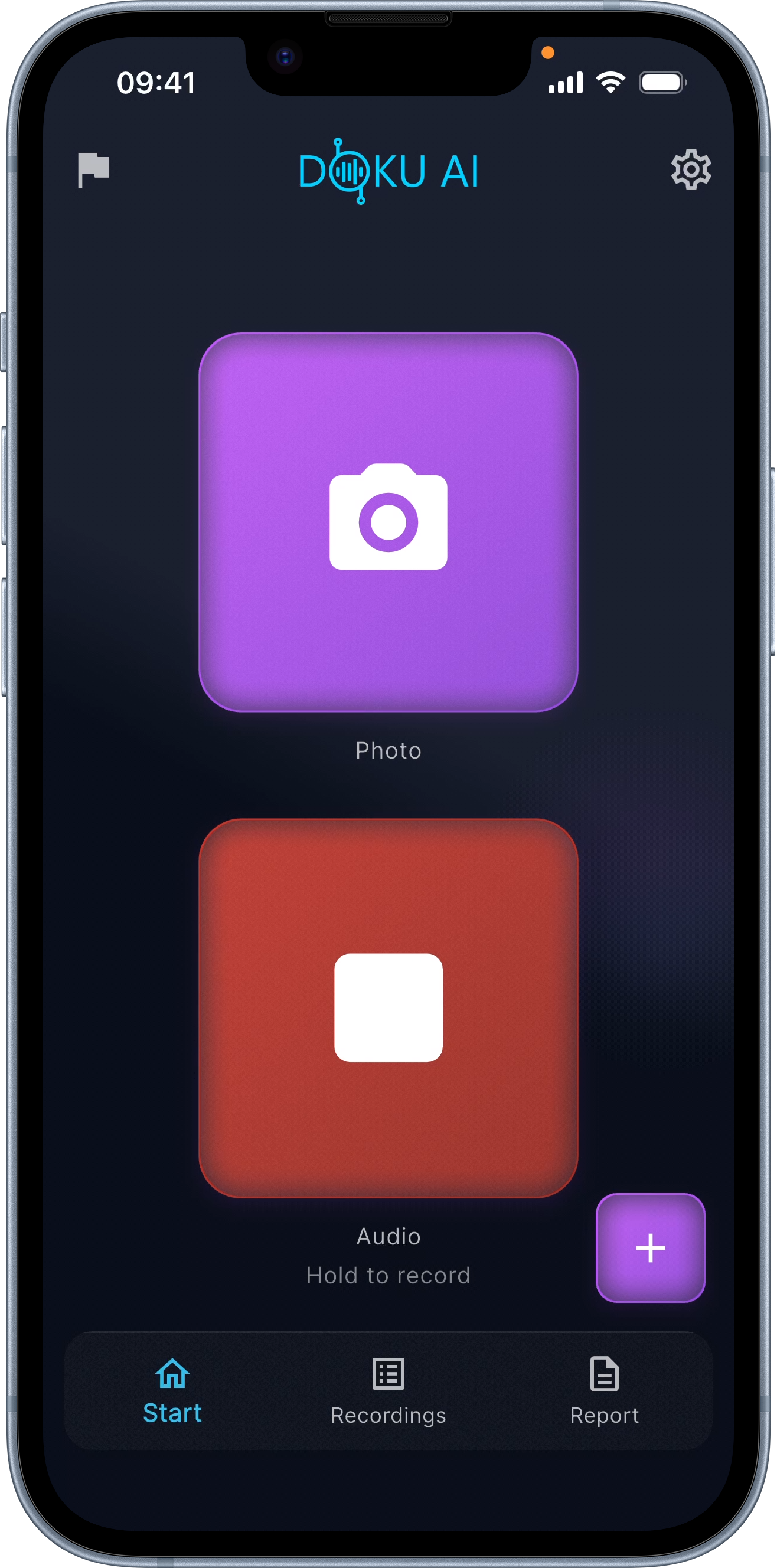
AI transcription from voice
Dictate as you walk, the AI turns it into a clean, structured entry, with trades, defect list, and recommended action. Saves the two hours of evening typing.
02 / 04
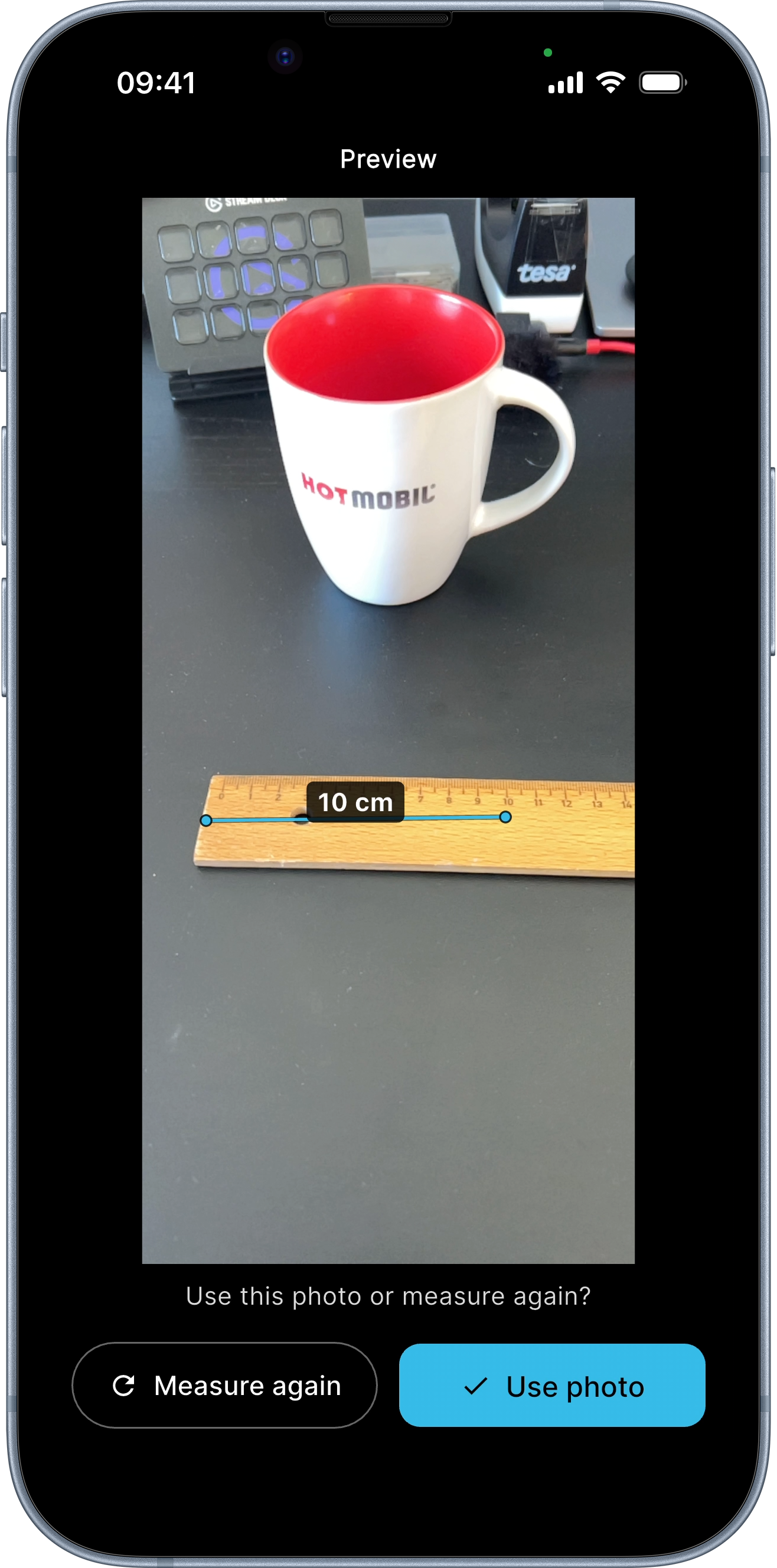
AR measurement in photos
Tap two points in a photo, the distance is drawn into the image and goes into the PDF. On iPhone 12 Pro and newer with LiDAR ±0.5 cm accurate; standard iPhones ±2-8 cm. The tape measure stays in the truck.
03 / 04
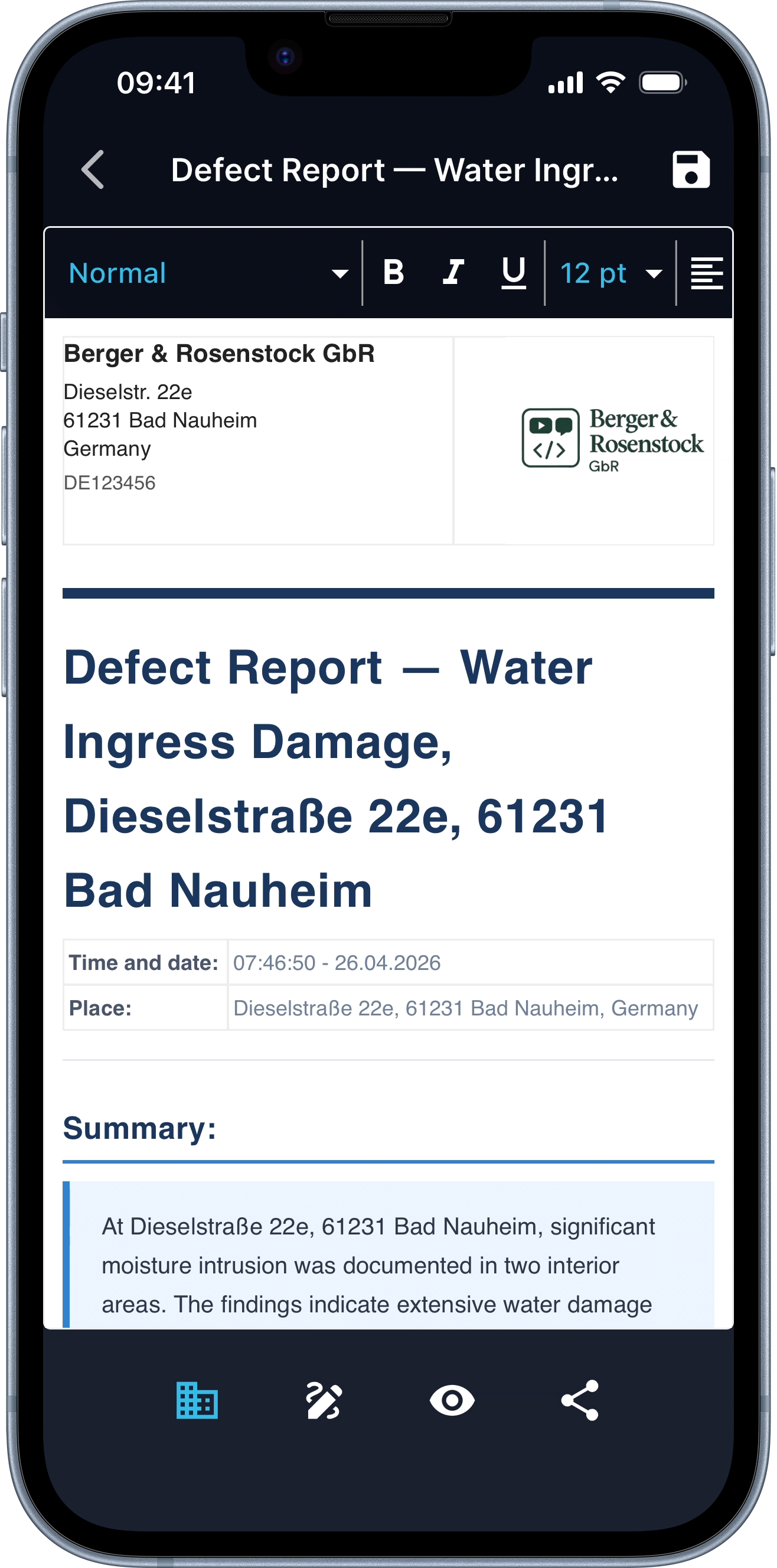
Letterhead with your logo
Logo, address, project number, set once, applied to every report. Looks like it came from the office, comes from the iPhone.
04 / 04
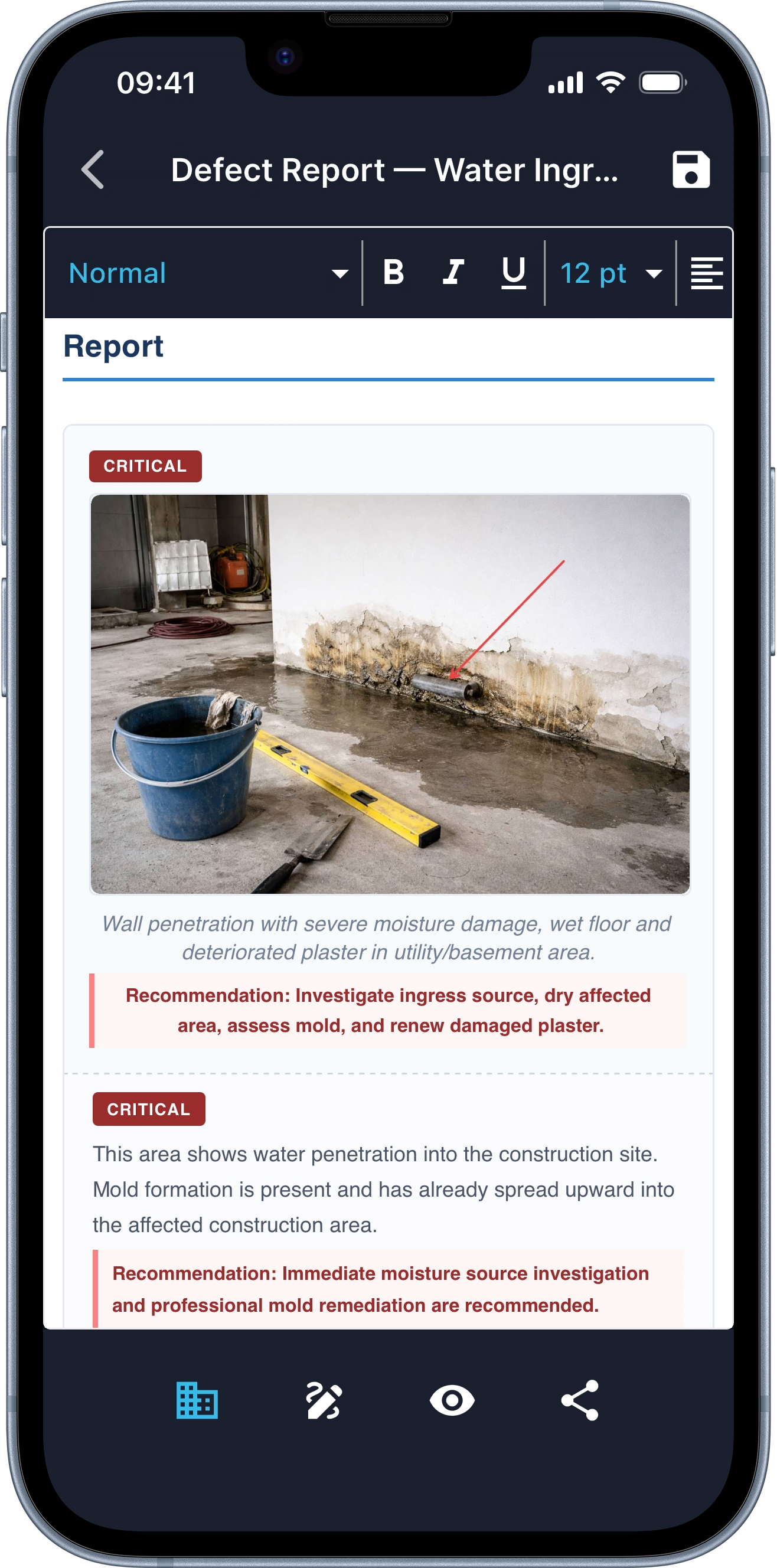
Defects with severity and action
The AI detects defects, classifies them by severity, and writes the recommended action. From "crack in wall" to a full defect entry with rating and remediation.
Compared
Classic daily report vs DokuAI.
Excel template, Word letterhead, evening typing, it works, but it costs two hours a day. Here's the difference, line by line.
| Aspect | Classic / spreadsheet | DokuAI |
|---|---|---|
| Create the entry | Type at the office for 1-2 hours after work | Done on site in 5-10 minutes, before you drive off |
| Match photos to sections | Manually pick through 300 phone photos | Auto-matched to the right section |
| Take measurements | Tape + notepad + retype | AR measurement in the photo (LiDAR ±0.5 cm) |
| Describe defects | Free text, often incomplete | AI classifies and recommends action |
| Signatures | Print, sign, scan | On-screen, multiple signers |
| Letterhead | Maintain a Word template | Set once, always applied |
| Send the report | Email from office PC | WhatsApp / email / cloud, on site |
| Setup effort | Create project, master data, roles | Open the app, start the report |
| Pricing (1 user) | Raken from ~$15/user/mo · Fluix ~$20/user/mo | Subscription, App Store (iOS) / Google Play (Android) |
Head-to-head with a specific competitor: DokuAI vs PlanRadar.
FAQ
Common questions.
Updated: June 2026
What is the best site documentation app for solo contractors?
For a single contractor with an iPhone, DokuAI gives you the fastest path from "walked the site" to "report sent", voice-to-PDF in minutes, no team setup, no master data, no training. Larger crews running formal defect-management workflows with assigned responsibilities are better served by team-SaaS like Raken, Fluix, PlanRadar, or Procore.
Does the app work offline on the jobsite?
Capture works completely offline, photos, voice notes, and annotations stay on the device. Report generation needs a connection; once you have signal the app picks up where it left off. You never lose a capture, even in basements without reception.
Which iPhones support AR measurement with LiDAR accuracy?
iPhone 12 Pro / Pro Max and every newer Pro model, plus iPad Pro from 2020 onward. On those, DokuAI measures with ±0.5 cm accuracy. Standard iPhones (no LiDAR) still measure, with ±2-8 cm accuracy.
Can two people sign the same report?
Yes. Add as many signatures as you need, built for handover protocols where both the client and the contractor sign on site. Each signature is stored with a timestamp in the PDF.
How is DokuAI different from Raken, Fluix, or PlanRadar?
Raken and Fluix are excellent team-focused daily-report tools, Raken nails the foreman workflow, Fluix has the best offline forms. DokuAI is the only one with AI report generation from voice + photo and LiDAR-based AR measurement, optimised for solo contractors and small crews without onboarding. We have a direct comparison on the DokuAI vs Raken page.
Are my photos uploaded somewhere?
Only during report generation. The flattened JPEG (with annotations and AR measurements baked in) goes to the EU-hosted backend for processing. After the PDF is delivered, you control whether the original stays on your device or is deleted.
How long are reports kept?
Up to 365 days, or earlier when you delete them in the app. After that the report is removed automatically from both the device and the server. Export the PDF for long-term storage if you need it longer.
What does the app cost?
7-day pro trial, cancel anytime. After that, a subscription, current pricing is in the App Store (iOS) and Google Play (Android). Per-user pricing is typically lower than team-SaaS competitors like Raken (~$15/user/mo) or PlanRadar (~$30/user/mo).
Does it also work for property handovers and snag lists?
Yes. Handover protocols, sign-offs and snag lists run through the same workflow, photo + voice + signature. For landlords, property managers and tenants we have a dedicated property handover app page.
Next site report, written on the jobsite.
7-day pro trial. First report finished before you start the engine.